
On my Apple ID, in payment information, there is no available option that will allow me to delete the card I currently have on the accounts
Issues with payment information.
iPhone 5s, iOS 8.4
Issues with payment information.
iPhone 5s, iOS 8.4
Ssee the instructions in Change or remove your Apple ID payment information in the iTunes Store - Apple Support
The article indicates that I have to use my iPad or iPhone to change my account. I did that, successfully, but I would like to understand the reasoning behind forcing me to do this. Why can't I use my computer? We are not all fifteen year olds, happy to tap little screens. I do my business at my computer, not on my phone. My reasons go on. What is Apple's reason for forcing me to leave my desk and find my device and sign in to yet another device—just to give you access to my money!?!?!?
Riverturtle wrote:
The article indicates that I have to use my iPad or iPhone to change my account. I did that, successfully, but I would like to understand the reasoning behind forcing me to do this. Why can't I use my computer? We are not all fifteen year olds, happy to tap little screens. I do my business at my computer, not on my phone. My reasons go on. What is Apple's reason for forcing me to leave my desk and find my device and sign in to yet another device—just to give you access to my money!?!?!?
I don't think you read that article very clearly. [Change or remove your Apple ID payment information - On your iPhone, iPad, or iPod touch, you can change the payment information for your Apple ID in Settings. On your Mac or PC, go to iTunes.]
Change or remove your Apple ID payment information
On your iPhone, iPad, or iPod touch, you can change the payment information for your Apple ID in Settings. On your Mac or PC, go to iTunes.
Use your Mac or PC
Open iTunes and sign in from the Account Information page, or use these steps:
 Sign In. Enter your Apple ID and password.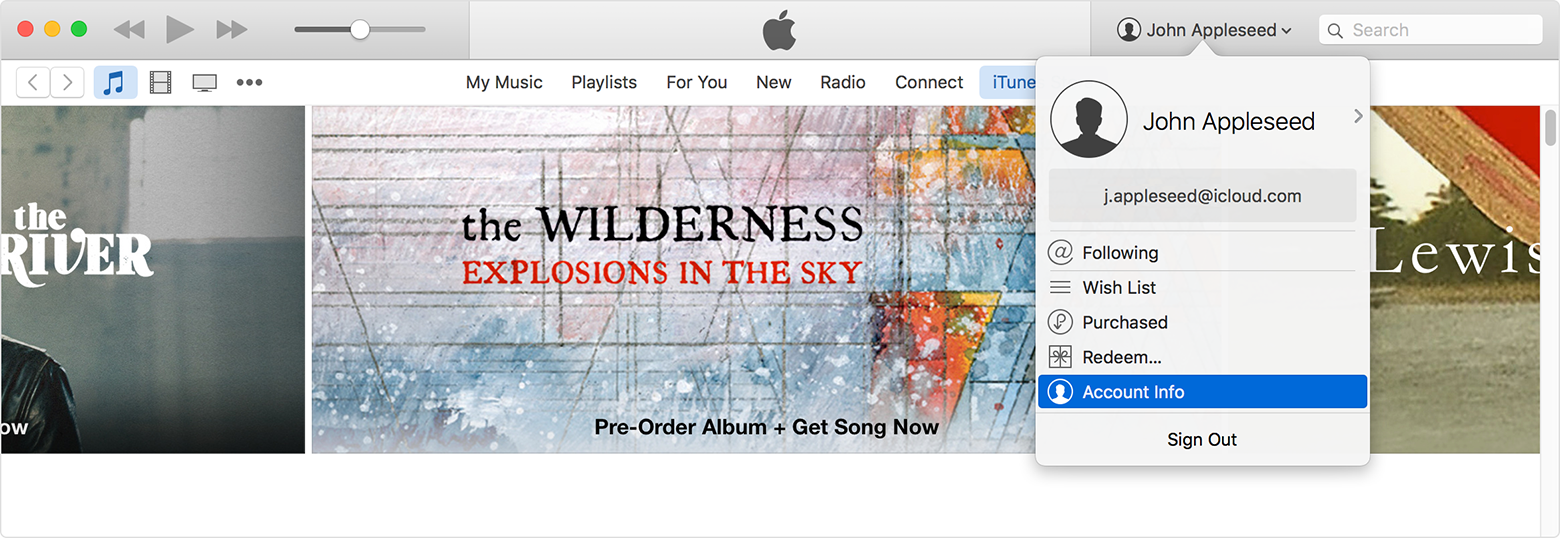
Then you can change your payment information on the Account Information screen:
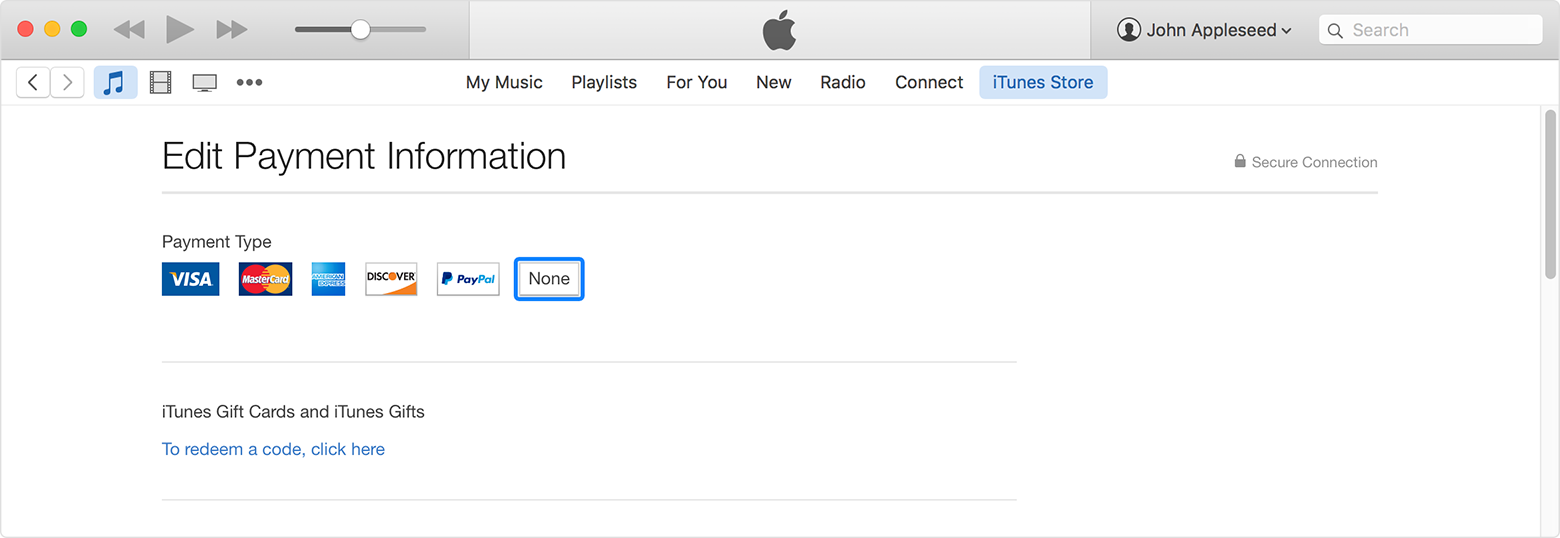
If you change your payment method to a credit card, the iTunes Store places a temporary authorization hold on your credit card to verify your updated account information.
Tada.
So... why can't you use your computer?
In that case, you have my humble apology!
I did this, but the payment information still shows up when I login online. How do I remove my payment information there?
I also have this problem. The system will not allow me to change it from PayPal. There is no option (no blue letters to push to take me into the application.) I can change everything else, but payment. When I try to purchase something on my iPhone it says that PayPal is not supported and to change my payment method on my computer, but as I said there is no option for me to do so once I get in.
It's not a matter of following directions. I've followed the directions and there is NO option for me to change it.
Can you please tell me why ITunes have taken 9.99 out of my account on the 15th November 2016 and then again 0.79 on the 20.11.2016 when I have not purchased anything from ITunes.
Can you please email me back on Debbie.ward1000@gmail.com or call me on 07975 995263
How I put my method of paidment on none some one use I credict card on my account is not letting me download app or update my apps
It wasn't me it was one of my kids
delete my debt card and use my apple card
On my Apple ID, in payment information, there is no available option that will allow me to delete the card I currently have on the accounts



